
An EOR handling twelve clients across nine jurisdictions doesn’t run “payroll.” It runs twelve payrolls, on different cycles, under different statutory rules, for workers classified three different ways — at the same time, every time. That’s the reality most payroll automation software is never built to touch.
Search “payroll automation software” and the results assume a single company running payroll for its own headcount: one entity, one pay calendar, one set of tax rules. That’s a different problem with a different shape. This guide is for EOR, PEO, staffing, and payroll-bureau operators who run payroll as the business, not as a back-office function — and who need the primary keyword, payroll automation software, to mean something closer to their actual operating reality.
What Payroll Automation Software Means for a Service Provider
For a workforce service provider, payroll automation software is the system that manages the operational chain around payroll — data intake, approvals, invoicing, reconciliation, and reporting across multiple clients — rather than the calculation engine itself. It’s used by EOR, PEO, staffing, and payroll-bureau operators to keep client billing and payroll execution synchronized at scale.
That definition hinges on a split most vendors blur: the payroll engine calculates gross-to-net and files statutory taxes. The operations layer ingests time and expense data, generates invoices, tracks receivables and payables, and reconciles what was billed against what was paid. Most operators own the engine — through ADP, Ceridian, or Payworks — and improvise the operations layer across spreadsheets, email approvals, and manual invoice entry.
That’s the gap this category fills, and it’s worth naming precisely because it isn’t a capability gap. Basic payroll software with manual steps, single-employer HRIS platforms, and accounting tools with payroll add-ons all do a competent job — for one employer. None of them were built to hold twenty clients’ worth of payroll data separate, synchronized, and billable at the same time. The limitation is architectural, not functional: single-employer tools don’t fail at multi-client work because they’re weak, they fail because they were never built to segregate client data, route multi-level approvals, or turn approved hours into an invoice line without someone re-keying it.
How the Operational Chain Actually Works
Six steps run — in parallel, across every active client — between a worker logging hours and that worker’s employer receiving an invoice.
- Data prep and finalization. Timesheets, attendance records, rate changes, and expense claims come in through self-service portals rather than spreadsheet submissions, cutting the manual entry point where most errors originate.
- Multi-level approval. Data moves through worker, then client manager, then internal HR, each step logged for audit purposes. No stage skips the trail, which matters the moment a client disputes a bill six months later.
- Payroll engine hand-off. Approved data syncs to the integrated engine — ADP, Ceridian, Payworks, whichever the operator runs — for gross-to-net calculation and statutory filing. This step belongs to the engine. Operations software hands off; it doesn’t calculate.
- Invoice synchronization. Approved hours, expenses, and contracted markups populate client invoices automatically, with multi-currency conversion and GST, VAT, or withholding applied at the billing layer rather than reconstructed after the fact.
- AR, payables, and payments. Payroll funding status and invoice status track in real time, reconciled against banking feeds, with aging-based reminders replacing the manual follow-up that eats a billing team’s week.
- Reporting and reconciliation. Workforce and revenue data consolidate across every client into one view, surfacing variance and utilization instead of requiring someone to stitch twelve spreadsheets together to answer a basic question.
Individually, each step is manageable. Running all six simultaneously across every client account is where spreadsheet-based operations collapse — and it’s the specific point PHRBO’s Payroll-to-Invoice Automation Framework was built to hold together, by keeping approval, billing, and reconciliation on one synchronized data path instead of six disconnected ones.
Core Features a Workforce Service Provider Should Require in Payroll Automation System
A vendor evaluation for this category should center on eight non-negotiables:
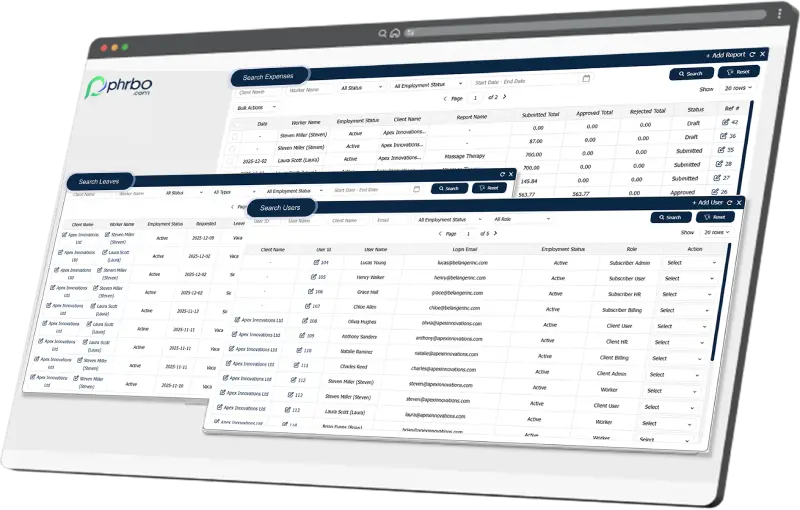
- Multi-client, multi-entity architecture at the database level — not UI-level client switching, which still leaves shared backend tables where one client’s configuration error can bleed into another’s data.
- Timesheet-to-invoice synchronization — approved hours flow directly into billing with zero re-keying between systems.
- Automated invoice generation — invoice data populates the moment payroll closes; anything requiring a separate manual billing step is a leakage point waiting to happen.
- Native multi-currency billing — FX handling across 120+ currencies, with consolidated and batch invoicing for clients running multi-country teams.
- Worker classification support — employees, contractors, and co-employment arrangements managed with independent profiles per assignment, in one system rather than three.
- API-first payroll engine integration — direct connections to ADP, Ceridian, and Payworks, plus accounting platforms like QuickBooks, Sage Intacct, and Xero, without export-import cycles.
- Audit trail and compliance documentation — operator-grade logging built for the employer liability an EOR actually carries, not the lighter documentation standard of a single-employer HR tool.
- Client and worker self-service portals — reducing the support back-and-forth that consumes an ops team’s time on questions the system should answer itself.
Benefits Beyond Time Savings
The efficiency pitch is the easy sell. The harder-to-quantify benefits are where the real case sits.
Error rates matter differently at scale. In a single-employer system, one miscalculation is a payroll correction. In a multi-client environment, the same error simultaneously hits billing accuracy, compliance exposure, and client trust — three problems from one mistake.
Pay-to-invoice close compresses when the chain synchronizes, which shortens days sales outstanding and improves the operator’s own cash position — a direct effect, not a downstream one.
Compliance risk drops with a clean audit trail, which is the specific asset an operator needs given the employer liability an EOR carries on behalf of every client. Automated documentation also answers client and regulator queries without the multi-day reconstruction effort a manual system demands during an audit.
Scalability shows up in headcount math: adding a new client shouldn’t require adding proportional operations staff. If it does, the operations layer isn’t automating anything — it’s just distributing the manual work across more people. And on the worker side, self-service payslips and consistent on-time pay reduce inbound queries, which is a quieter but real reduction in support load.
PHRBO’s internal benchmarking has shown operators report meaningful reductions in manual admin hours after synchronizing payroll and billing — a figure worth validating against your own current baseline rather than assuming it applies uniformly.
Payroll Automation and Revenue Leakage: The Connection Operators Miss
Workforce revenue leakage, in a payroll-operations context, is the gap between hours a worker actually performs and hours that make it onto a client invoice — created by unbilled hours, missed contract markups, delayed invoicing, and manual billing errors, almost always traceable back to disconnected HR and billing systems.
Synchronization is the direct fix. When approved time and expense data auto-populates invoices instead of routing through a separate manual billing process, the gap between hours worked and hours billed narrows toward zero, because there’s no manual re-entry step where hours can quietly disappear. Add to this tracking for shifting deposit/severance amounts and balances across the workforce, and the major leak points are ‘plugged”.
The scale of this problem surprises most operators who haven’t measured it. More than 60% of EOR providers experience measurable leakage, and the average detection lag runs around 18 months — long enough for leakage to compound significantly before anyone notices. Industry estimates put the loss at 1.5% to 5% of workforce billing revenue, translating to $1.92 million to $4.8 million for a mid-market EOR, and $149 million to $373 million industry-wide. Offboarding, onboarding rate setup, and mid-cycle contract changes are consistently the highest-risk stages — the moments where data changes hands and something falls through.
For a full breakdown of where leakage occurs and how to close it stage by stage, see PHRBO’s Workforce Revenue Leakage in EOR Operations series.
How to Evaluate the Payroll Automation Software
Six questions separate a real fit from a vendor demo that looks good on a call:
- Multi-client architecture. How exactly are client entities separated on the backend, and specifically — can a configuration error in one client’s setup cross over and affect another’s data?
- Integration depth. Is the connection to your payroll engine API-first, or file-based? May require custom work or integration fees level two being significant improvements with import export formats and level one being manual data entry
- Billing automation. Does payroll completion trigger invoice generation directly, or does billing still sit as a separate manual step after payroll closes?
- Reporting. Does the platform give consolidated cross-client revenue visibility, or does each client’s data live in its own silo you’d have to manually combine?
- Implementation and migration. For operators mid-contract with existing clients, what’s the actual migration methodology? PHRBO’s own benchmark for operational readiness after implementation runs roughly two to three pay cycles — a useful comparison point when a vendor promises faster.
- Red flags. Watch for software marketed as “fully automated payroll” that turns out to be an engine still requiring manual operations work around it, and for “multi-client” platforms that require separate logins per client — a sign the multi-client claim is UI-deep, not architectural.
Still losing margin to FX errors on every invoice?
Most EOR and staffing operators don’t catch currency discrepancies until they’ve already hit their bottom line. PHRBO shows you exactly where the leakage is, and closes it.
Operations Automation Is Infrastructure, Not a Productivity Tool
For a single employer, payroll software is a convenience — it makes an existing process faster. For a workforce service provider, the operations layer around payroll is closer to load-bearing infrastructure: it determines whether the business model holds up as client count grows, or whether every new client adds headcount, risk, and reconciliation work that eventually outpaces revenue.
The requirements in this guide — database-level multi-client separation, API-first engine integration, invoice generation triggered by payroll close, and audit-grade documentation — are the specific things generic HR-buyer content skips, because generic content is written for the one-employer case this category was never meant to solve.
If you’re evaluating where your own operation sits against this, PHRBO’s blog covers the operations layer in more detail, and the EOR vs. PEO comparison is a useful next read if you’re still sorting out which operating model fits your business. The Workforce Revenue Leakage in EOR Operations series must read especially if the leakage numbers above sound closer to home than you’d like.
