

Most PEO onboarding takes 30 to 90 days, and the PEOs that land on the short end of that range aren’t lucky. They did four things right before anyone else even started: validated the client’s data early, named one internal owner, timed benefits correctly, and lined up payroll with the right cutover date. Everyone else loses weeks to the same four mistakes, over and over.
This isn’t a case for going faster at the expense of getting it right. It’s the opposite. The fastest onboardings are also the cleanest ones, fewer payroll corrections, fewer benefits gaps, fewer of your new client’s employees calling HR asking why their paycheck looks wrong. Speed and accuracy come from the same discipline. This checklist is built around that.
PEO Onboarding vs. PEO Implementation: What’s the Difference?
Teams use these two terms as if they’re interchangeable. They’re not, and mixing them up is why some clients show up to a kickoff call expecting a finished product instead of a working session.
Implementation is the internal build: data migration, payroll system configuration, benefits mapping, tax account setup. It’s the plumbing behind the walls. Onboarding is the full experience your client and their employees live through — everything from the first welcome email to the first paycheck stub. Onboarding can’t finish until implementation does, but implementation being “done” on your end doesn’t mean onboarding felt smooth to the people living through it on theirs.
If your team remembers one distinction: implementation is what you build, onboarding is what your client experiences. You can nail one and still fumble the other.
How Long Does PEO Onboarding Actually Take?
For a straightforward single-state client with one benefits plan, 30 to 45 days from signed agreement to first payroll is realistic. Add multiple states, a handful of benefit plan options, or a client headcount north of 150, and 60 to 90 days becomes the more honest number to set expectations around.
What Actually Drives the Timeline
Four variables move the needle more than anything else:
- Client headcount — more employees means more census data to validate, and more room for a typo to slip through
- Number of work states — each state can carry its own tax registration and workers’ comp requirements
- Benefits complexity — multiple carriers or plan tiers require more mapping and more carrier coordination
Timing against the pay cycle — starting mid-cycle almost always creates a correction somewhere
A Realistic 30/60/90-Day Breakdown
| Phase | Weeks | What happens |
|---|---|---|
| Kickoff & data collection | Weeks 1–2 | Census data gathered, roles assigned, kickoff call scheduled |
| Configuration & validation | Weeks 3–6 | Payroll system built, benefits mapped, tax accounts registered |
| Parallel run & first payroll | Weeks 6–8 | Test payroll run against old system, employees enrolled, go-live |
| Stabilization | Weeks 8–12 (complex cases only) | Corrections resolved, reporting confirmed, ownership transitions |
Simple setups compress this into the first two phases. Multi-state or high-headcount clients almost always need the fourth.
The Complete PEO Onboarding Checklist
Break this down by what needs to happen before kickoff, during setup, and right before that first payroll runs.
Before Kickoff: Documents and Data to Collect from the Client
The single biggest lever for a fast start is having the client’s data in hand before your implementation team needs it. Collect:
- Employee census (legal names, addresses, dates of birth, Social Security numbers)
- Current compensation, job titles, and work locations for every employee
- Existing benefit elections and carrier information
- Completed W-4s and any state-specific withholding forms
- Prior payroll registers for the last two to three pay periods
Most delays trace back to one of these arriving late from the client’s side, not to anything your implementation team did wrong. Build the ask into your sales-to-implementation handoff so the clock doesn’t start on kickoff day.
Assigning Ownership on Both Sides
Assign one person on your team who owns the account end to end through go-live — not a rotating cast of specialists, and not a shared queue. That person needs the authority to make configuration calls without escalating every decision internally first.
Just as important: push your client to name one internal owner on their side too. A client with three people weighing in with equal authority will slow your timeline down more than any system limitation on your end. Make naming that person a condition of kickoff, not a nice-to-have.
Data Migration and System Configuration
This is where most of your team’s invisible work happens. Client data gets mapped into your payroll and HR systems, and this is also where small errors turn into real problems downstream. A wrong Social Security number or an outdated address can cause a payroll rejection that isn’t caught until the first check doesn’t process.
Send the client a validation report before go-live, not after. Having them review a spreadsheet of every employee’s mapped data takes an afternoon on their end. Your team fixing a rejected payroll run after the fact takes days.
Benefits Enrollment Coordination
Timing matters more here than almost anywhere else in the process. If the client’s current plan year and your enrollment window don’t line up, you risk a coverage gap for their employees — even a single day without active coverage creates real exposure if something happens during the transition.
Coordinate enrollment dates well ahead of go-live, and give the client’s employees a real window to review new plan options rather than a same-week deadline buried in an email your team sent once.
Payroll Cutover and First Payroll Verification
Run a parallel payroll before go-live — process the same pay period through both the client’s old system and yours, and compare the outputs line by line. This catches configuration errors before they hit a real paycheck.
Once the first live payroll runs, check net pay for a sample of employees across different pay types, confirm benefits deductions match what was elected, and verify tax withholdings look right. Check the details, not just the total. A $50 discrepancy in one deduction can mean something’s misconfigured for an entire employee class.
How to Cut PEO Onboarding Time-to-Value in Half
Four things separate the teams that get a client through onboarding in three weeks from the ones still fixing payroll errors two months later.
Get the client’s data before the ink is dry. Most implementation teams wait until kickoff to ask for census data. Build the request into the sales-to-implementation handoff instead. By the time the contract is signed, your team should already have a validated spreadsheet in hand.
Name one internal owner on day one — for both sides. Not a committee on either end. This single change removes more delay than any technology your platform brings to the table.
Align go-live to a pay period boundary. Starting mid-cycle creates a split pay period, which almost always means a manual correction somewhere. Starting at the beginning of a new pay period avoids that entirely.
Staff a named implementation manager, not a shared inbox. A checklist and a help center link isn’t the same as a person the client can call who actually knows their account. This is a resourcing decision your team makes before the client ever signs, not after.
Why PEO Onboarding Gets Delayed
Every delay we’ve seen traces back to one of four causes, and all four are preventable if your team catches them early:
- Waiting on documents the client didn’t know they’d need — this is why the pre-kickoff document list above matters so much
- Benefits mapping mismatches — a plan that looks identical on paper doesn’t always map cleanly between carriers
- Unclear ownership on the client’s side — decisions stall when nobody on their end has authority to answer questions
- Slow internal response times on your team’s side — worth auditing honestly, since it’s the one delay entirely within your control
None of these are inevitable. They’re just common, which means building safeguards against all four upfront prevents most of them.
Questions Your Onboarding Process Needs Confident Answers To
Prospects ask these during sales conversations more often than most teams prepare for. If your onboarding program can’t answer these clearly and specifically, that’s a gap worth closing before it costs you a deal — or a smooth go-live.
How many implementation managers will be assigned to this account? A dedicated point of contact should be the default answer, not the exception.
What’s our average go-live timeline for a client this size? Your team should have a specific number pulled from real account data, not a range that spans two months.
What happens if implementation runs over the estimated timeline? The strongest answer shows a proactive escalation path, not a shrug.
How do we handle benefits coverage gaps during transition? This is the question that separates confident onboarding programs from ones still figuring it out as they go.
Can we show a sample onboarding timeline from a similar client? If your team can’t produce one on request, that’s worth fixing before the next sales call.
PEO Onboarding and Payroll Transition Without Gaps
The parallel run mentioned earlier is the single most reliable safeguard your team has. Process one full pay period through both the client’s old system and yours before cutting over, and reconcile every line — not just the totals.
Watch for deduction mismatches (a benefits deduction that’s $30 off usually means a plan tier was mapped incorrectly), withholding errors (compare against each employee’s W-4 rather than assuming defaults carried over correctly), and missing supplemental pay types like bonuses or commissions that sometimes fall through the cracks during migration.
What the Fastest PEO Onboarding Programs Do Differently
The PEOs that move clients through onboarding fastest aren’t working with a fundamentally different process than everyone else. They’re running onboarding as a managed project internally, not a self-serve checklist handed off and forgotten.
That looks like a named implementation manager instead of a login and a help article. It looks like real-time progress tracking on your team’s side — knowing exactly what’s outstanding on any given account on any given day, instead of finding out at the next scheduled call. And it looks like proactive communication with the client’s employees, so a paystub from an unfamiliar company name doesn’t get mistaken for a phishing email in week one.
This is also where trust gets built or lost with a new client. Their employees who understand what’s changing — and what isn’t — adjust faster and generate fewer confused tickets back to your support team in the first month.
See Onboarding Status in Real Time
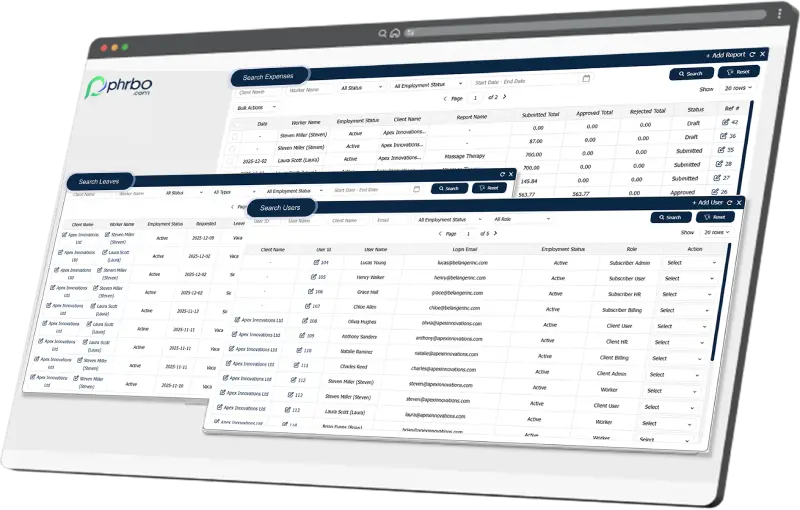
Running onboarding off checklists and shared inboxes only gets you so far. PHRBO gives your implementation team a single view of every client’s onboarding status, so nothing slips between kickoff and first payroll.
Frequently Asked Questions
What should be included in a PEO onboarding checklist? At minimum: validated employee census data collected before kickoff, benefits election records, prior payroll registers, one named owner on each side, and a parallel payroll run before go-live. Skipping any of these is the most common source of delay on the implementation team’s side.
How long does PEO onboarding typically take? Simple, single-state clients typically run 30 to 45 days. Multi-state clients or those with complex benefits plans should take 60 to 90 days from signed agreement to first payroll — set that expectation early rather than let a generic timeline slip.
What documents does a PEO need before starting onboarding? Employee census data, current compensation and work location details, existing benefits elections, completed W-4s, and payroll registers from the client’s last two to three pay periods.
What’s the difference between PEO onboarding and PEO implementation? Implementation is the internal system build your team runs — payroll configuration, data migration, tax setup. Onboarding is the full experience the client and their employees go through, from the first welcome email to the first paycheck.
How can a PEO reduce time-to-value for a new client? Collect the client’s data before the contract is even signed, assign one named owner on each side with real authority, align go-live to a pay period boundary, and staff a named implementation manager rather than a self-serve portal.
